
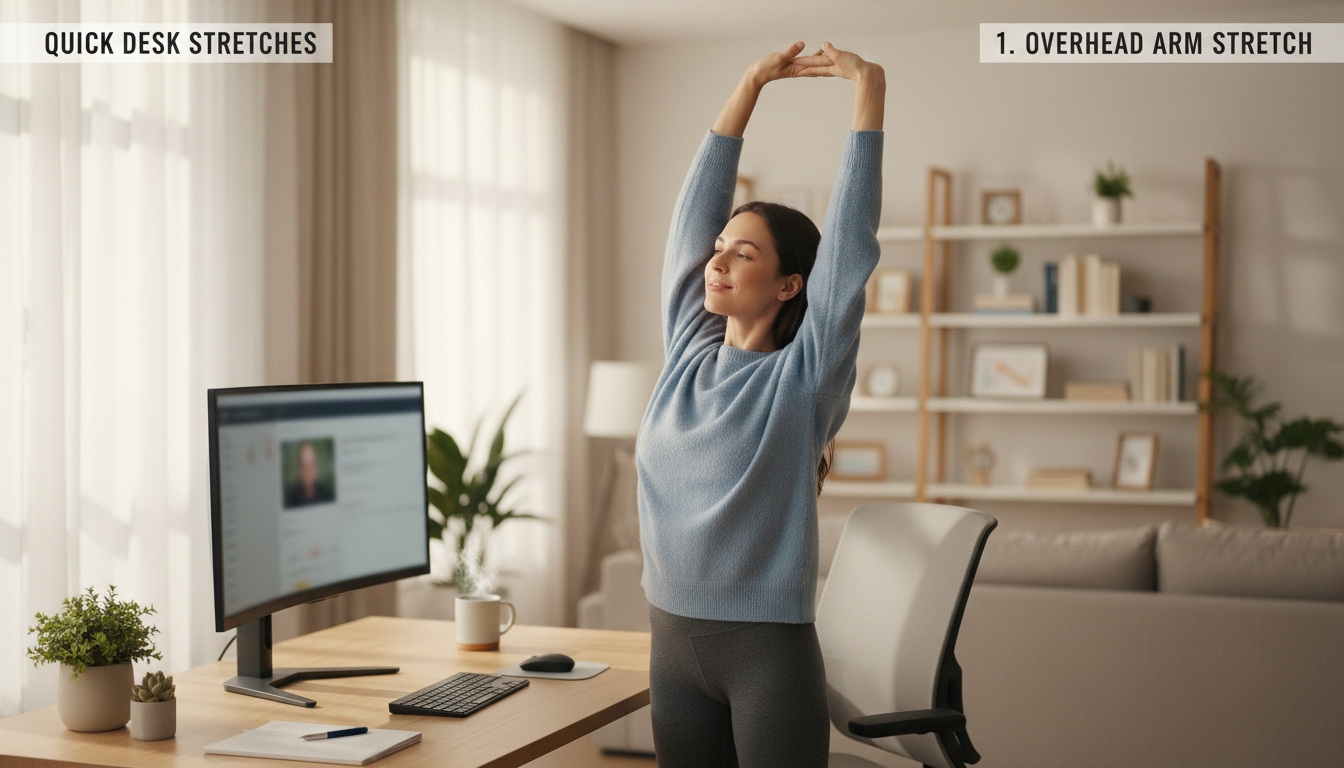
What Quick Desk Stretches Help Remote Workers?
Start with 30‑second neck rolls, moving your head in smooth circles while breathing deep, then roll your shoulders back. Follow with an arm‑cross stretch to align shoulders and open the thoracic spine, adding wrist circles and a prayer‑position stretch for forearm relief. Activate your core with seated torso twists, then do a standing desk lunge to reset hip flexors. Finish with a full‑body desk‑to‑standing sequence that energizes you and restores posture, and you’ll discover even more moves to keep you feeling light.
Table of Contents
Warm‑Up: 30‑Second Neck Rolls for Desk Stretches
Ever feel your neck tightening after hours at the screen? You can dissolve that tension in just thirty seconds with a simple neck roll. Sit upright, feet flat, and let your chin drop toward your chest. Slowly trace a circle with your head, moving clockwise for five seconds, then reverse direction for another five. Keep the motion smooth; avoid jerking or forcing the range. As you roll, breathe deeply, inhaling through the nose and exhaling through the mouth, allowing each breath to loosen tight muscles. When the timer ends, gently bring your head back to neutral, roll your shoulders back, and notice the immediate release of stiffness. This micro‑warm‑up primes the cervical spine, improves blood flow, and prepares you for longer stretches later in the day. Repeat every hour or two to keep neck fatigue at bay while you stay productive at your desk.
Shoulder Mobility: Arm‑Cross Stretch for Desk Stretches
You’ll notice how the arm‑cross stretch aligns your shoulders and eases tension across your upper back, giving your spine a quick relief break.
It also helps release built‑up pressure in your wrists, so you can type more comfortably.
Try it now and feel the difference in your posture and mobility.
Shoulder Alignment Benefits
Why does shoulder alignment matter when you’re hunched over a laptop all day? Poor alignment forces your upper traps and deltoids to work harder, leading to fatigue, tension headaches, and reduced circulation.
When you straighten those shoulders, you open the rib cage, improve breathing, and let the spine assume a neutral posture. The arm‑cross stretch you just practiced pulls the shoulder blades together, re‑balancing the muscles that pull them forward.
This simple adjustment restores range of motion, eases shoulder‑neck strain, and prevents the cascade of discomfort that can spread to the upper back. Consistently realigning your shoulders keeps the kinetic chain efficient, boosts focus, and lets you stay comfortable through long video calls and endless typing sessions.
Spinal Relief Technique
Curious how a simple arm‑cross stretch can melt away spinal tension? Sit upright, shoulders relaxed, and bring your right arm across your chest. Use your left hand to gently press the right elbow toward your torso, feeling a stretch in the upper back and shoulder blade. Hold for 15 seconds, then switch sides. This movement opens the thoracic spine, counteracting the forward‑hunched posture many remote workers adopt. By rotating the scapulae and lengthening the rhomboids, you release pressure on the intervertebral discs and improve overall spinal alignment.
Perform the stretch three times per side every hour, and you’ll notice reduced stiffness, smoother breathing, and a calmer, more focused mind throughout the workday.
Wrist Tension Reduction
The arm‑cross stretch that eased your spinal tension also loosens the wrist and forearm muscles that tighten when you type for hours. To target wrist tension, sit upright, extend one arm, and gently pull the hand back with the opposite hand, feeling a stretch along the wrist and forearm. Hold for 15‑20 seconds, then switch sides. Repeat three times each side, breathing deeply to promote circulation.
You can also perform wrist circles: rotate each wrist clockwise then counter‑clockwise for 10 rotations, keeping movements smooth and controlled.
Finally, try finger extensions—spread your fingers wide, hold a couple of seconds, then relax. These micro‑movements release built‑up strain, improve flexibility, and prevent repetitive‑stress injuries during long work sessions.
Wrist & Forearm: Prayer‑Position Stretch to Ease Carpal Strain
Ever feel your wrists tightening after hours at the keyboard? Try the prayer‑position stretch to release carpal strain. Sit upright, bring your palms together in front of your chest, fingers pointing upward, elbows relaxed. Press gently, then slowly lower your hands until forearms are parallel to the floor, keeping palms pressed. Hold for 10‑15 seconds, feeling a stretch along the wrist flexors and forearm muscles. Release, shake out your hands, and repeat three times. To deepen the stretch, slightly rotate your forearms outward while maintaining palm contact, but avoid forcing the motion. Perform this mini‑break every 60‑90 minutes of typing to keep tendons supple and reduce fatigue. The movement is low‑impact, requires no equipment, and fits neatly into a busy remote‑work schedule. Consistency will help prevent the nagging ache that often follows long‑term keyboard use.
Activate Core: Seated Torso Twists for Desk Stretches
You’ll feel your core engage as you twist, which improves posture and reduces back tension.
Sit tall, place your hands behind your head, and rotate slowly, keeping your hips stable.
Keep the movement controlled and breathe evenly to maximize the activation.
Core Activation Benefits
Why neglect your core when you’re glued to a desk all day? Engaging your core during seated torso twists stabilizes your spine, reduces lower‑back strain, and improves posture.
A strong core supports the pelvis, preventing the forward‑tilt that often develops after hours of typing. Activating those deep abdominal muscles also enhances balance, making it easier to sit upright without slouching.
When you fire the core, you boost circulation to the lumbar region, which eases stiffness and mitigates fatigue. Consistent core activation strengthens the diaphragm, helping you breathe more efficiently and stay alert.
Over time, these benefits translate into fewer aches, better focus, and a healthier work‑from‑home routine.
Proper Twisting Technique
How do you execute a seated torso twist that truly engages your core without straining your back? Sit tall, feet flat, knees at hip width. Place your hands lightly behind your head, elbows wide. Inhale, then exhale as you rotate your chest left, keeping your spine neutral and hips square. Lead the movement with your ribcage, not your head, and engage your deep abdominal muscles. Hold for two seconds, then return to center on an inhale. Switch sides, repeating the same controlled motion. Keep the twist within a comfortable range—no forcing beyond a mild stretch. Perform eight to ten reps per side, pausing between sets. This technique maximizes core activation while protecting your lumbar spine during desk work.
Reset Hip Flexors With a Standing Desk Lunge
A standing‑desk lunge is a quick way to reset tight hip flexors that build up from long hours at a computer. Begin with your feet hip‑width apart, then step one foot back, keeping the front knee over the ankle. Lower your back knee toward the floor while keeping your torso upright, feeling a stretch in the front of the hip on the back side. Hold for 20‑30 seconds, then switch legs.
Perform two to three sets per side, breathing deeply to enhance muscle relaxation. This movement counteracts the prolonged sitting posture that shortens the hip flexors, improves pelvic alignment, and reduces lower‑back tension. Because you stay at your desk, you can integrate the lunge into regular work breaks without needing extra equipment.
Consistency is key; repeat the stretch throughout the day to keep your hips supple and your posture balanced.
Finish Strong: Full‑Body Desk‑to‑Standing Stretch Sequence
Ready to end your workday feeling energized? You’ve been typing, scrolling, and pivoting all day. Now stand, breathe, and let a full‑body sequence release tension, boost circulation, and sharpen focus for the evening ahead.
- Standing Forward Fold – Feet hip‑width apart, hinge at hips, let arms drape toward the floor. Hold 20 seconds, feeling the stretch in hamstrings, calves, and lower back.
- Desk‑Supported Chest Opener – Place palms on the desk, step back, and lower your chest while keeping shoulders relaxed. Hold 15 seconds to open the pectorals and counteract slouching.
- Seated Figure‑Four Twist – Sit, cross right ankle over left knee, and gently twist torso right, using the left hand on the right knee for leverage. Hold 30 seconds, then switch sides.
Repeat each move once, breathing deeply. The routine re‑energizes muscles, improves posture, and signals a clear transition from work mode to personal time. You’ll finish strong, feeling lighter and ready for whatever comes next.
Frequently Asked Questions
How Often Should I Repeat Each Stretch Throughout the Workday?
You should repeat each stretch every 60‑90 minutes, aiming for 3‑5 repetitions per session, and adjust if you feel tension building; consistency keeps muscles loose and prevents stiffness throughout the day.
Can I Modify These Stretches if I Have a Pre-Existing Injury?
Yes, you can adjust them—skip any motion that hurts, reduce range, and replace painful angles with gentler alternatives. Consult your therapist, then modify intensity and duration to stay comfortable while still moving.
Do These Stretches Improve Posture or Just Reduce Muscle Tension?
You’ll notice better posture because the stretches lengthen tight muscles and release tension, but they also relieve muscle tightness, so you get both alignment improvement and immediate relief.
What’s the Best Time of Day to Perform the Full-Body Sequence?
You should do the full‑body sequence mid‑morning, after you’ve settled into work, and again late afternoon before you wrap up, because those windows boost circulation, reduce stiffness, and keep energy steady.
Are There Any Equipment Tools Needed for These Desk Stretches?
You don’t need any special gear—just a stable chair, a desk edge, and maybe a small towel or foam roller for extra support. Your body and the furniture are enough for effective desk stretches.
Conclusion
You’ve just powered through a quick, office‑friendly routine that loosens neck tension, opens shoulders, protects wrists, awakens your core, and stretches tight hip flexors—all without leaving your desk. By integrating these moves into your day, you’ll boost circulation, reduce stiffness, and stay focused. Keep the sequence handy, repeat it whenever you feel the strain building, and enjoy a more comfortable, productive remote‑work experience.


Sorry, the comment form is closed at this time.